






Roobet Australia Login and Registration
Do you know what makes a legitimate online casino different from a scam? The fact that scammers do not care if you are under the age of 18 or if you have a gambling problem. They do not care about the law, licence, or honour. All they are looking for are simps who will willingly give them full access to their wallet. We are not like that and do not want this to continue.
We invite Aussie players to create an account and verify their personal data with us so that we can check them and they can check us. Creating an account will also allow you to become a full-fledged player of our online casino and use all our products and services without any restrictions. Keep reading to find out what licence we operate under, how to sign up and sign in to your account with us, and how to verify your personal data and why it is so necessary.
Roobet Online Casino Licence
Our company operates under the Gaming Curacao licence . This guarantees that we use a certified random number generator (RNG) to ensure that the results are not tampered with. This also obliges us to provide tools for self-restriction and account blocking. We use Know Your Customer (KYC) and anti-money laundering (AML) procedures to ensure the transparency of all actions on the platform. Our work under this licence also guarantees transaction security and fund protection.
How to Register Roobet Account
To create an account with us, you only need to follow these steps.
Account Registration Steps on Desktop
- Open our official website
- Click the yellow “Register” button in the top right corner
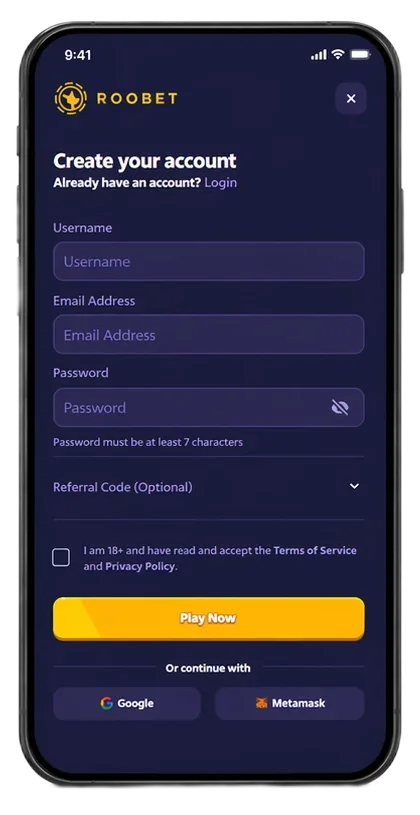
- Enter your email and come up with a unique username and password / choose to authorise via Google, Steam, or your Metamask wallet
- Check the box to confirm that you are 18 years old and agree to the Terms of Use
- Click the “Play Now” button to create an account
- Follow the link in the email that will be sent to the specified email address to activate all account features
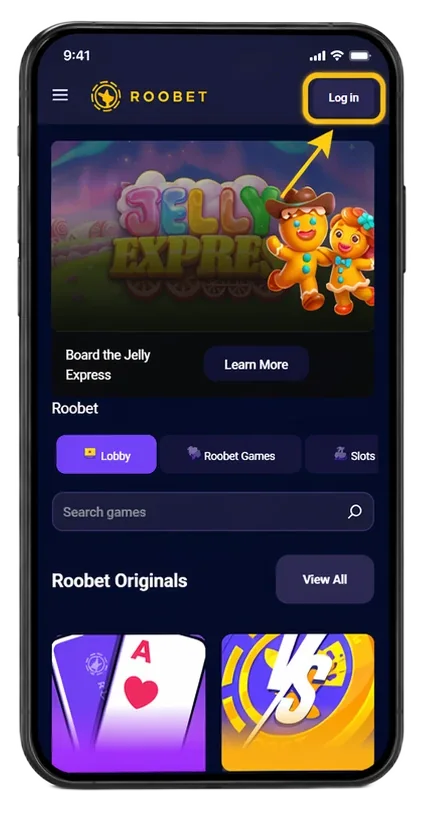
Account Registration Steps on Mobile
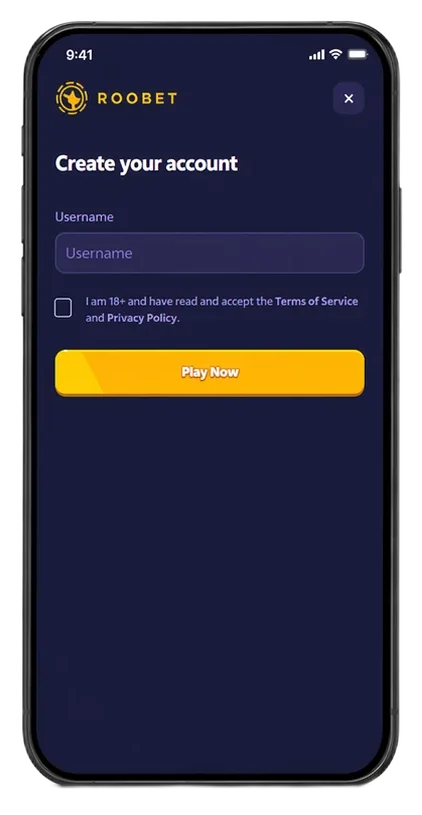
How to Login Roobet
To sign in to your account, you need to open our official website, click the “Login” button in the top right corner, and input your email or username with your password. But if you registered using Google, Steam, or Metamask, click on the corresponding icon. Then, if you have 2FA protection enabled, enter the six-digit code from the app like Google Authenticator. After that, click the “Login” button to go to your personal account.
Roo Casino Login Possible Issues
Below we have listed the main login issues and their solutions.
- Incorrect login or password. Use the “Forgot Password?” feature to reset your password via your email. Or just check your keyboard layout and the Caps Lock key.
- Problems with 2FA. If the six-digit code does not work, check the time synchronisation on your phone and computer. This is the most common cause of incorrect codes.
- White screen or infinite loading. Clear your browser’s cache and cookies or try accessing the website in incognito mode.
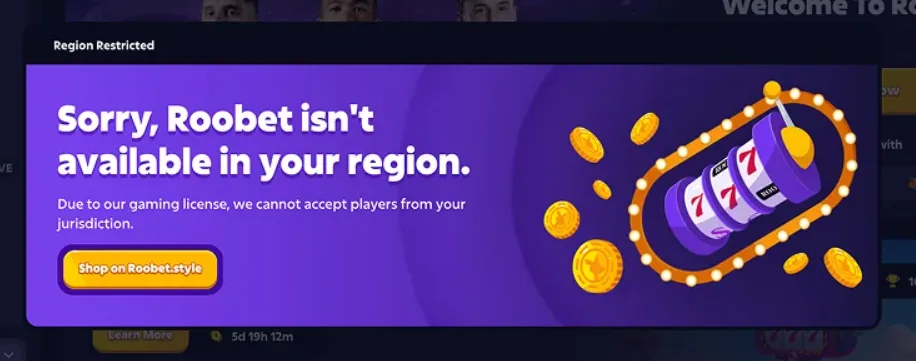
- Using a VPN. The security system may block your login if your IP address is marked as suspicious or belongs to a prohibited region. To resolve this issue, try changing your server or disabling your VPN as long as it does not violate your location’s regulations.
- Account Blocking. This may occur due to a violation of our rules. For example, you tried to create multiple accounts or failed to pass verification KYC. To resolve this issue, check your email for any security service emails and contact support at [email protected].
How to Login via Roobet Mobile App
There is no difference in the Roobet Casino login process itself. Since our mobile app is a PWA, the interface and data entry fields on the smartphone are identical to those on the desktop version. All data is synchronised, and if you create an account on your computer, you can complete the Roobet login process with the same username on your phone and vice versa.
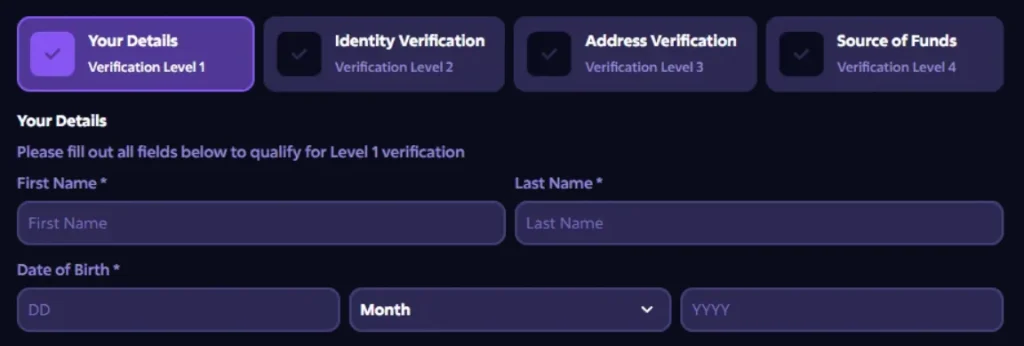
How to Verify Your Personal Data
To complete the Roobet verification process, you must follow these steps.
- Basic information. Fill out the form with your full name, date of birth, and residential address. This will set the basic limits for deposits and withdrawals
- Identification. Upload a clear photo of your identification document such as passport, ID card, or driving licence
- Address. If necessary, upload a scan of your utility bill or bank statement (no older than 3 months) that shows your name and address
- Source of funds. In rare cases (for large transactions), we may request documents confirming the legality of your money
Verification usually takes from a few hours to 24–72 hours. After successful verification, your account status in the “Verification” section will change to “Verified.”